When you first set up Instagram, you followed friends, a few creators and a handful of brands, maybe a few hundred accounts in all. Years later, the same account can follow thousands, including shops you bought from once and people you no longer recognize.
Your feed fills with posts you scroll past, and the Following list stops matching what you care about.
Working out how to mass unfollow on Instagram is the obvious fix. Rushing it, though, can get your account paused for a while.
Can You Mass Unfollow on Instagram?
People searching for how to unfollow everyone on Instagram usually hope for a single button.
Instagram has no button to unfollow everyone at once. Instead, open your Following list, start with the Least interacted with category, and unfollow in small batches over several days. Unfollowing too many accounts quickly can trigger a temporary action block.
If what you really want is a fresher feed, there may be an easier fix. Instagram can reset your suggested content (opens in a new tab) across Explore, Reels and your feed without unfollowing anyone.
And if the worry is who can see your list rather than how long it is, a private account hides your following list from everyone you have not approved.
Instagram Does Not Publish a Daily Unfollow Limit
You will find exact daily and hourly unfollow numbers online, but none of them comes from Instagram. They come from companies that sell cleanup tools, and their figures do not even agree with each other.
What Instagram does say is that it may show a Try again later message when it detects activity that does not look authentic. Since nobody outside Instagram knows where that line sits, pacing yourself is the sensible plan.
What a Temporary Action Block Looks Like
When you hit a limit, the unfollow button stops working and the Try again later message appears. These blocks are temporary, but repeating the same burst right after one ends is a bad idea.
An action block is not the same as an Instagram shadowban, which is about how widely your posts are shown, not what you can tap.
How to Mass Unfollow on Instagram, Step by Step
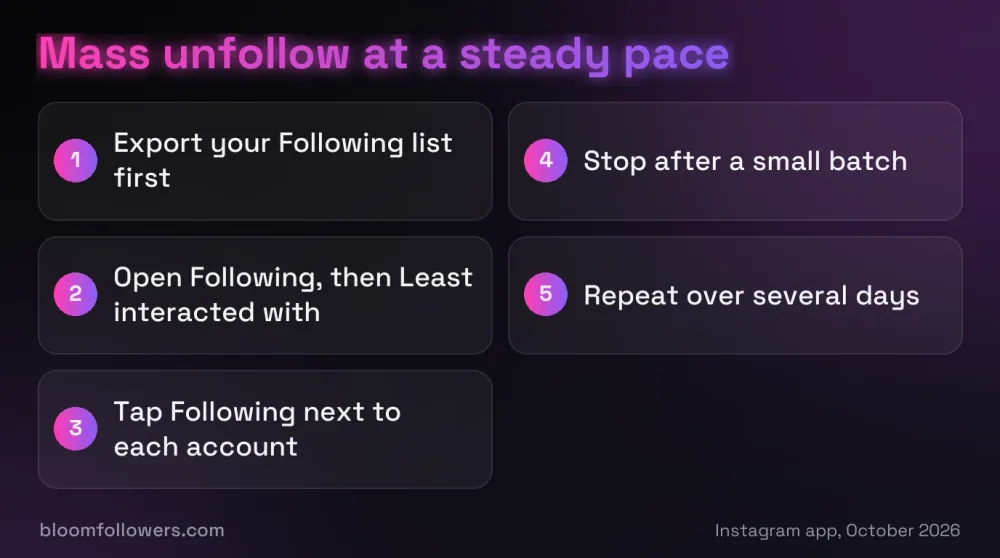
Everything below happens inside the Instagram app, so you never hand your login to anyone. A tidy list will not grow your audience by itself, but it is a sensible first step toward getting more followers on Instagram.
| Approach | Speed | What can go wrong |
|---|---|---|
| Tapping through Least interacted with | Fast, because the list is already sorted | It can include friends who rarely post |
| Sorting by Date followed: Earliest | Fast for very old follows | Old follows include close friends too |
| Small batches over several days | Slow but steady | The cleanup simply takes longer |
| Hundreds in one sitting | Fast until it stops | A temporary Try again later block |
| A mass unfollow app | Fastest | It needs your password, which can give it complete access to your account |
Pro tip: Export your Following list before you start, using Export your information in Accounts Center. If you unfollow someone by mistake, the file shows you who to follow again.
Start With the Least Interacted With Category
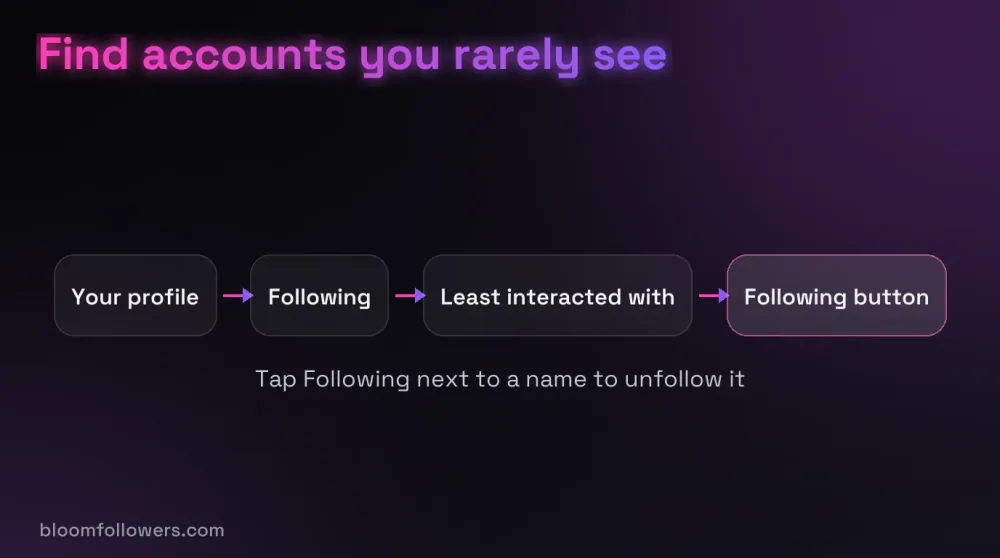
Open your profile and tap your following count. At the top of the list, Instagram groups accounts into categories, and Least interacted with shows the ones you have engaged with least over the last 90 days.
The category has been there since February 2020 (opens in a new tab), though some people reported it missing in early 2026. If you do not see it, use Sort by and choose Date followed: Earliest, which puts your oldest follows first.
How to Unfollow Multiple People on Instagram From One Screen
Tap the Following button next to an account and it switches to Follow, which means you have unfollowed it. You never have to open a single profile.
For private accounts, Instagram may ask you to confirm, because you would need to send a new follow request to get them back.
Work in Small Batches Over Several Days
Unfollow a small batch, then put the phone down and come back later. Rapid, nonstop tapping looks like automation, so a cleanup spread over several days or weeks is the careful choice.
Mix it with normal use, such as watching Stories or liking posts, so a whole session is never just unfollowing.
Keep the Accounts You Actually Use
Least interacted with is a rough guide, not a verdict. It can include friends who rarely post, news accounts you read without liking, or a shop you only check before a sale.
Skip anyone you message, anyone whose posts you look for on purpose, and anyone you would feel awkward unfollowing.
Stop at the First Try Again Later Message
If the message appears, stop unfollowing straight away. Leave the account alone for a while, then come back with smaller batches.
Do not switch to an app to finish the job faster, since that swaps a temporary pause for a bigger problem with your login.
Mass Unfollow Instagram Apps and Your Password
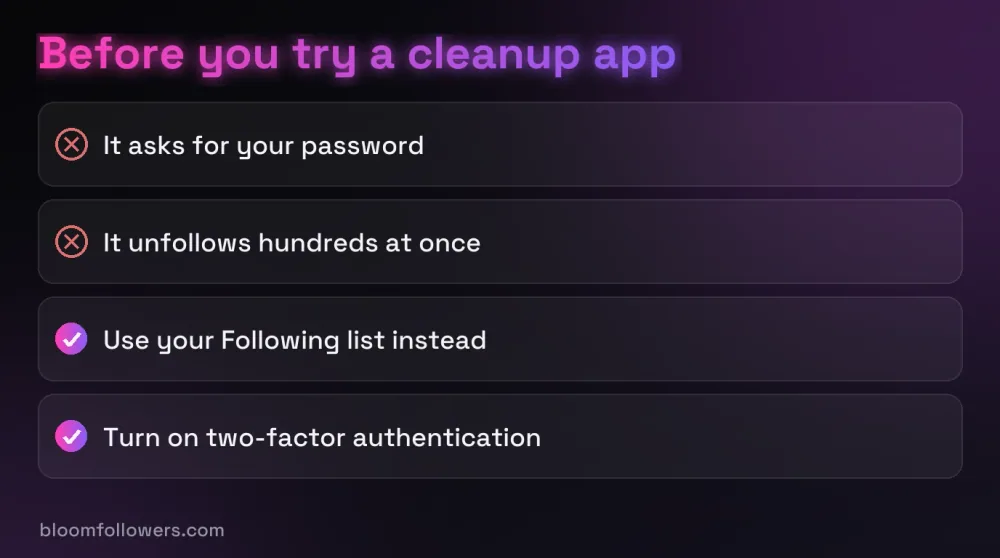
Apps that offer to mass unfollow Instagram accounts in one tap all need the same thing from you: your login. Instagram gives outside developers no official way to follow or unfollow for someone, so these apps sign in as you and tap through your list.
Once an app has your password, Instagram says it can gain complete access to your account, not just your Following list. Stolen logins are a real business, too: Meta identified more than 400 apps built for it in 2022 (opens in a new tab), and most of them posed as photo editors.
Our own service is built around the same rule. When you order followers from real, active profiles at BloomFollowers, you share a public username, and your password stays with you.
Watch out: An app that unfollows for you can also post, message and change settings as you. If you already gave one your password, change it, because that signs every device out of your account.
Balancing Your Profile After a Cleanup
A big cleanup changes how your profile looks to a visitor. You follow fewer accounts, and some people who only followed you while you followed them back may leave too.
If your follower count dips, adding followers from real, active accounts is a practical way to rebuild it while you keep posting. BloomFollowers paces delivery gradually, and you can choose a slower spread when you order at no extra cost.
Under our 60-day refill guarantee, you ask for a free refill from your order page if followers drop, and every order has a 7-day money-back guarantee.
| Service | Starts at | Good for | Order |
|---|---|---|---|
| Instagram followers | $2.99 for 100 | Rebuilding your count after a cleanup | Explore follower packages |
| Instagram likes | $1.49 for 50 | Fresh posts that look quiet next to your reach | Compare likes packages |
| Instagram views | $1.99 for 500 | Reels that deserve a stronger start | See views packages |
| Instagram Scale Bundle | $242.49 | Followers, views, likes and comments at a larger scale | Check the Scale Bundle |
Rebuild your follower count after a cleanup with followers from real, active profiles. Delivery is gradual, the 60-day refill guarantee covers drops, and we never need your password.
Keeping Your Following List Tidy From Here
That is how to mass unfollow on Instagram: work from your Following list, start with Least interacted with, and spread the job over several days.
To stop the list from growing back, check Least interacted with every few months and trim a handful each time.
If your count dips in the weeks after, you can see who unfollowed you with a quick search of your Followers list.
Mass Unfollowing on Instagram FAQs

Can I unfollow 500 people on Instagram in one day?
Instagram does not publish a daily unfollow limit, so nobody can promise that 500 in a day is fine. Unfollowing that many in one go is the kind of rapid activity that can bring up a Try again later message. Spreading the same 500 over a week or more is the more careful route.
How do I remove multiple followers on Instagram at once?
Instagram only offers bulk removal for followers it marks as potential spam. Open your followers list, tap Potential spam or the Flagged for review notice if you see one, then tap the remove all option. Everyone else has to be removed one at a time, and removed followers are not notified.
What is the fastest way to unfollow people on Instagram?
Unfollow straight from your Following list instead of opening each profile. Tap Following next to an account and it is gone, while the Least interacted with category puts likely candidates at the top. Short bursts with breaks are faster overall than a long session that ends in a Try again later pause.
Is there a way to bulk delete Instagram followers for free?
Only for spam. Instagram's built-in option to remove all potential spam followers costs nothing. There is no free official way to bulk delete real followers, and apps that offer it need your Instagram login, which Instagram warns can give them complete access to your account.
Will people know if I unfollow them on Instagram?
Instagram does not send a notification when you unfollow someone. They could still notice by checking their followers list or seeing that you stopped liking their posts. People who followed you mainly because you followed them may also unfollow you back once they spot it.

Was this helpful?