Your follower chart says most of your audience opens Instagram at 7 a.m. on weekdays. That is when you are on your way to work, so the post goes up at lunch, after the morning crowd has already scrolled past.
Weekends can be just as awkward. If your best Sunday slot is early in the morning, the post only goes up after you wake up, once most of that crowd has moved on.
So a practical question comes up: can you schedule Instagram posts to go live while you are busy, and does it cost anything?
Can You Schedule Instagram Posts Without a Professional Account?
Until early 2026, scheduling inside the Instagram app came with creator and business accounts only.
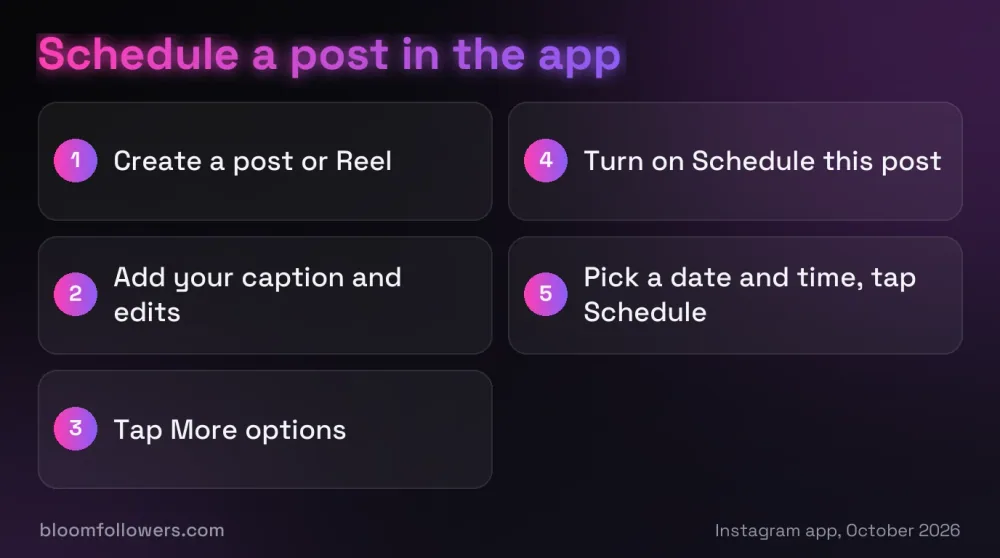
Now any public account can use it. Since March 1, 2026, you can schedule photos, carousels and Reels in the app for free, up to 30 days ahead. Create the post, tap More options, turn on Schedule this post and pick a date and time.
Instagram opened scheduling to every public account together with its insights dashboard, as Social Media Today reported (opens in a new tab). Private accounts still cannot schedule, and Stories are not part of the free scheduler.
Meta's paid Meta One plans stretch the window. On Advanced and higher plans, a public account can schedule posts and Reels up to a year ahead.
Scheduling pays off once you know your timing. Your best time to post on Instagram is shortly before your followers' busiest hour, and a scheduled post can go live then while you are offline.
Pro tip: Write a week of posts in one sitting, then schedule each one for just before the busiest hour in your follower active times chart.
How to Schedule a Post on Instagram in the App
Photos, carousels and Reels all follow the same five steps, and the labels below match the app as of October 2026.
Step 1: Start a New Post or Reel
Tap + Create at the top left of your feed, or swipe right from the feed, then choose Post or Reel. Pick your photo, carousel photos or video and tap Next.
Step 2: Add Your Caption and Edits
Add filters, effects and your caption as usual. Leave out product tags and collaborators, because posts with those can't be scheduled, so a collab post on Instagram has to go out live.
Step 3: Tap More Options
On the last screen before sharing, tap More options, shown with three dots. Some app versions call this Advanced settings.
Step 4: Turn On Schedule This Post
Turn on Schedule this post, or Schedule this reel for a Reel, and pick the date and time. Tap Done, then Back.
Because Reels are also shown to people who don't follow you, the best time to post Reels can differ from your feed slots.
Step 5: Tap Schedule
Tap Schedule. The post now waits in your queue until the date and time you picked.
To give a scheduled post some social proof from the start, our Instagram bundle packages combine followers, views, likes and comments in a single order.
How to Edit, Reschedule or Cancel a Scheduled Post
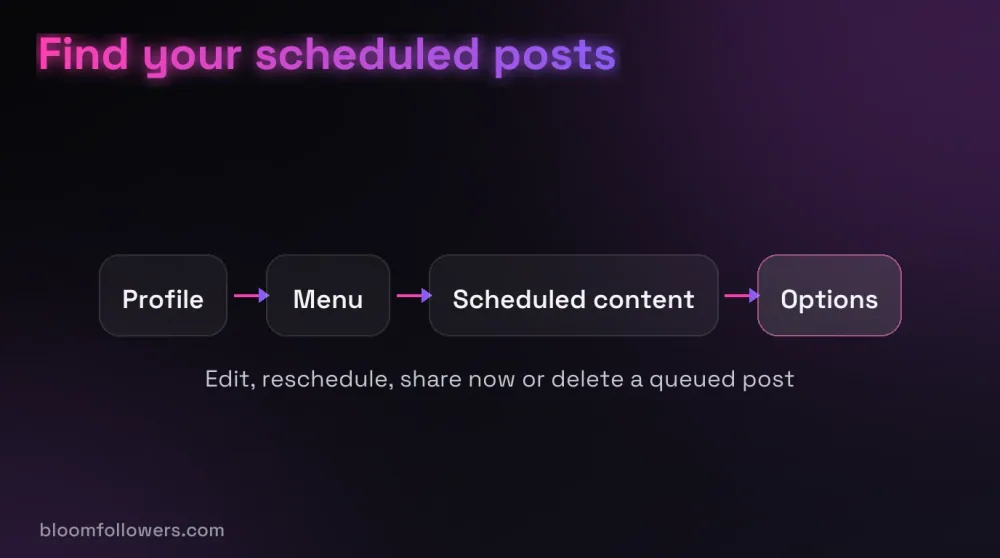
Open your profile, tap the menu (three lines) at the top right and tap Scheduled content. Tap the three dots next to a post to edit it, reschedule it, share it now or delete it.
If the Schedule option is missing, check that your account is still public. Private accounts can't schedule, so switching to private, for example to hide your followers list, removes the option.
How to Schedule From a Computer With Meta Business Suite
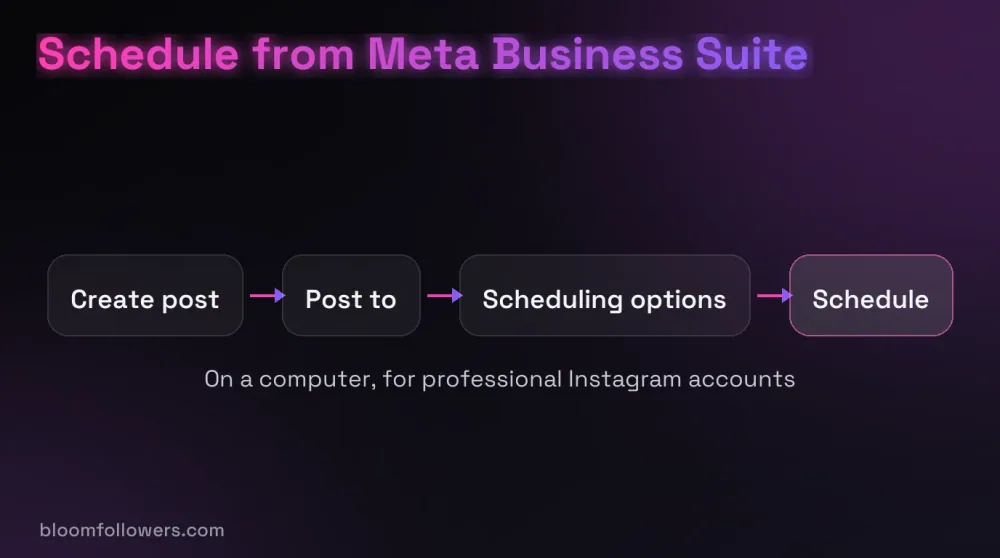
On a computer, scheduling runs through Meta Business Suite, Meta's free dashboard for Facebook Pages and Instagram accounts. It works with a professional Instagram account connected to the suite, and you need full control of the account or content permission in your business portfolio.
Step 1: Click Create Post
Click Create post on the Home or Content tab. For a Reel, use Create reel instead.
Step 2: Pick Your Instagram Account
Under Post to, choose your Instagram account, plus your Facebook Page if you want the post in both places. Add your photos or video under Media, up to 10 photos for an Instagram post.
Step 3: Set the Date and Time
Write your caption under Post details. Then open Scheduling options and pick the date and time.
Step 4: Click Schedule
Click Schedule. To change it later, open Content, then Posts and Reels, and check the Scheduled tab.
What You Can and Cannot Schedule on Instagram
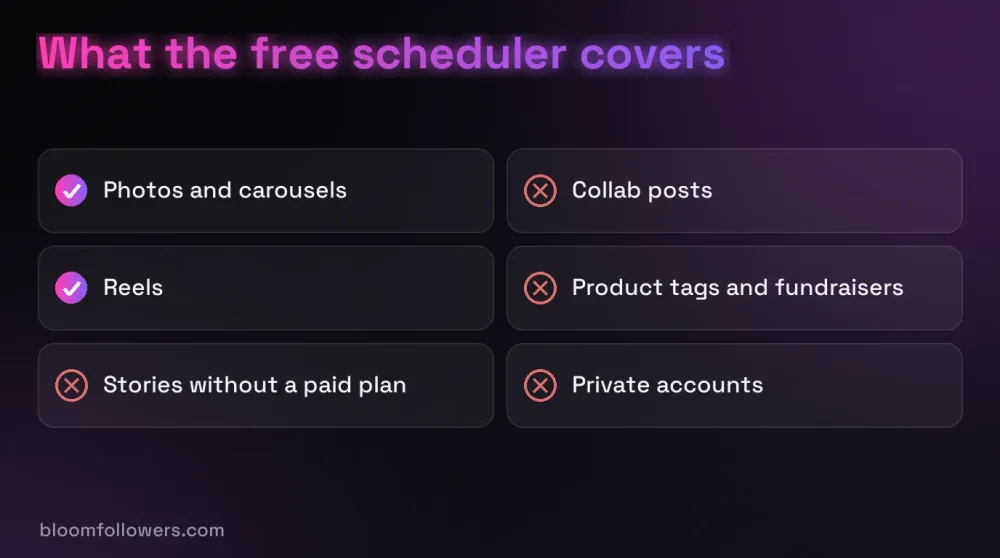
Most weekly formats are covered by the free scheduler, but a few post types still have to go out live.
| What you want to schedule | Free in the Instagram app? | What to know |
|---|---|---|
| Photos and carousels | Yes, up to 30 days ahead | Public accounts only; Meta Business Suite takes up to 10 photos per post |
| Reels | Yes, up to 30 days ahead | Turn on Schedule this reel under More options |
| Stories | No | Needs Meta One Advanced or higher, up to 30 days ahead |
| Posts or Reels more than 30 days out | No | Meta One Advanced or higher allows up to a year |
| Collab posts | No | Share them live and invite the collaborator as you post |
| Product tags, sponsored posts and fundraisers | No | Not supported in scheduled content |
| Posts from a private account | No | Make the account public first |
Meta One, which Meta launched worldwide in September 2026 (opens in a new tab), is the paid route for what the free scheduler leaves out.
Its Advanced plan starts at $49.99 a month and adds Story scheduling up to 30 days ahead (opens in a new tab), along with the year-long window for posts and Reels.
Adding Social Proof to a Scheduled Post
A scheduled post goes live at the right hour, but the first people who see it also notice how active it looks. Steady likes and views on the post, and a solid follower count on the profile, give new viewers a reason to stop.
BloomFollowers covers that part for accounts that want a stronger first impression. We deliver from real, active profiles, starting within minutes, and the Delivery speed step lets you stretch an order across several days without paying more.
Followers come with a 60-day refill guarantee, and every order comes with a 7-day money-back guarantee. All we need is the public username or the link to the post, and we never ask for a password.
| Service | Starts at | Good for | Order page |
|---|---|---|---|
| Instagram bundles | $55.99 for the Starter Bundle | A batch of scheduled posts on a new profile: 1,000 followers, 5,000 views, 1,000 likes and 10 comments | Explore Instagram bundles |
| Instagram followers | $2.99 for 100 | New profiles you are filling with scheduled posts | View follower packages |
| Instagram likes | $1.49 for 50 | Scheduled posts that should look active from the first hour | See like packages |
| Instagram views | $1.99 for 500 | Reels you line up for your busiest slot | Pick a views package |

Lining up next week's posts? Start them on a stronger profile with the Instagram Starter Bundle ($55.99): 1,000 followers, 5,000 views, 1,000 likes and 10 comments, delivered gradually from real profiles.
Making Scheduled Instagram Posts Part of Your Week
So, can you schedule Instagram posts without paying for a tool? Yes: any public account can line up photos, carousels and Reels in the app up to 30 days ahead, and Meta Business Suite covers professional accounts on a computer.
A good next step is to pick one evening a week to write and schedule the next batch. Three to five posts a week, the range our posting frequency guide recommends, is a batch you can usually finish in one sitting.
Scheduled posts go through the same Instagram algorithm as any other post, and Adam Mosseri has said scheduling does not change reach.
Scheduling Instagram Posts FAQs

Why can't I schedule a post on Instagram?
Check your account first: only public accounts can schedule, so a private account will not see the option. Posts with collaborators, product tags, branded content or fundraisers can't be scheduled either, and dates more than 30 days out need a paid Meta One plan. If the option is still missing, update the app.
Why can't I schedule Instagram posts anymore?
Look at what changed on your account. Switching to private removes the scheduler, and Meta's current help page lists a limit of 30 days ahead without a subscription, even though older guides still mention 75 days. Stories can only be scheduled in the app on Meta One Advanced or a higher plan.
Can I schedule a post on Instagram for free?
Yes. Scheduling photos, carousels and Reels in the Instagram app is free for public accounts, up to 30 days ahead, and Meta Business Suite is free on a computer. You only pay if you want Story scheduling in the app or a longer window, through Meta One Advanced, from $49.99 a month.
Does Instagram punish you for scheduling posts?
No. Adam Mosseri, the head of Instagram, has said in Q&As in 2025 and 2026 that a scheduled post or Reel reaches people the same way as one you share by hand. Reach still depends on how people respond once the post is live, so the hour you choose matters more than the method.

Was this helpful?