There are now two ways to pass along a post you like on Instagram, and they behave very differently. A Story share disappears after 24 hours unless you save it to a Highlight. The repost button, added on August 6, 2025 (opens in a new tab), keeps the post on your profile for as long as you leave it there.
Pick the wrong one, and a post you meant to keep is gone by tomorrow, or a quick share sits on your profile for months. Credit and permission also change with the method, so knowing how to repost on Instagram starts with knowing which kind of share you want.
How to Repost on Instagram, Method by Method
Instagram gives you a different button for each kind of share. To repost on Instagram, tap the Repost icon under a public post or Reel, or tap Share and choose Add to story to put it in your Story. Reposts appear on a Reposts tab on your profile, and the original creator stays credited on the post.
How to Repost a Post on Instagram With the Repost Button
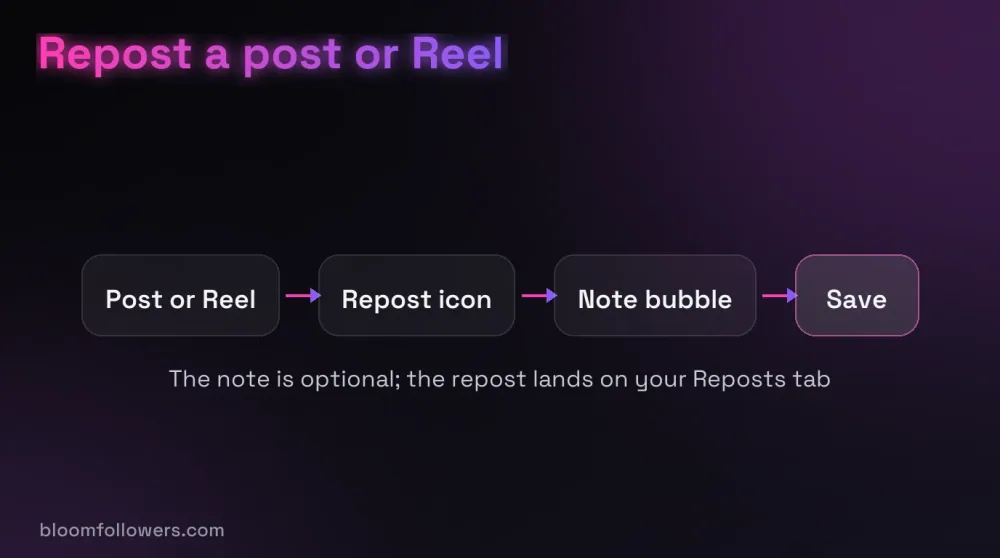
- Open the public post or Reel you want to share.
- Tap the Repost icon, the loop of two arrows under the post.
- To add a note, tap the bubble beside your profile picture at the bottom left, type it and tap Save.
Besides your Reposts tab, the repost may show up in your followers' feeds. So it pays to share at the best time to post on Instagram for your audience. Comments people leave on your repost reach you as direct messages.
You can only repost public accounts whose owners allow it, and you can't repost a repost.
How to Share a Post on Instagram Story
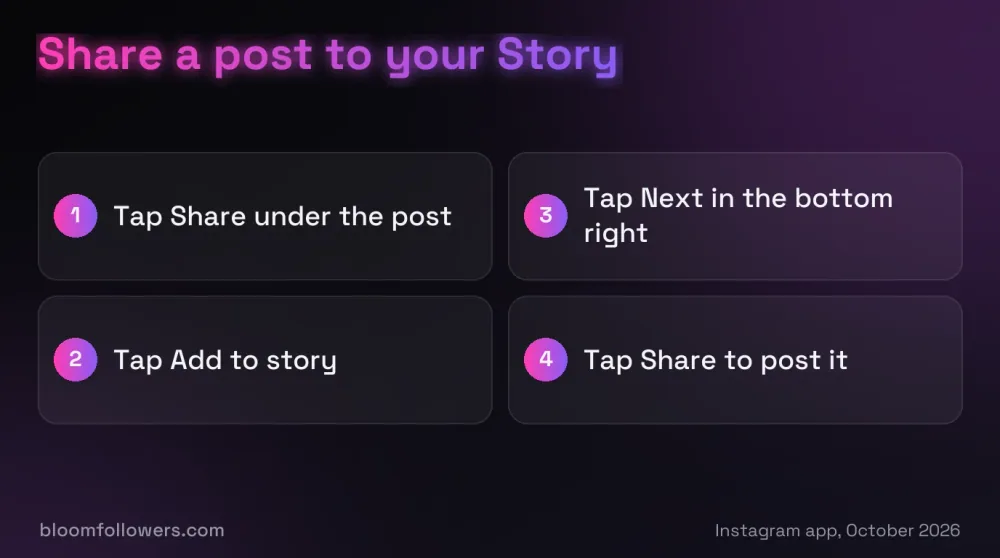
- Tap Share, the paper plane, under the post or Reel.
- Tap Add to story.
- Tap Next in the bottom right.
- Tap Share.
Anyone who watches the Story can see who posted the original and tap through to that account. If Add to story is missing, the owner is private or has switched off Posts and reels to stories in their settings.
Repost a Story You Were Mentioned In
When someone mentions you in their Story, Instagram sends you a direct message with a preview. Open it, tap the button under the preview to add it to your Story, and share it as usual.
Move fast, because the preview disappears from the chat after 24 hours. If the poster has turned off reshares for people they mention, the option will not appear at all.
Send a Post in a Direct Message
Tap Share under the post, pick a person or group chat, and tap Send. Only the people in that chat see it. Sends also help the creator, since Adam Mosseri, who runs Instagram, named sends as one of the app's top three ranking signals (opens in a new tab) in January 2025.
How to Repost Someone's Post on Instagram as Your Own Upload
Sometimes the button is missing and you still want the photo on your grid. In that case, ask the owner first, then post it with their @handle in the first line of the caption and a tag on the image.
Better still, ask them to join a collab post, which puts both names on it. Instagram itself points people to collabs, Remix and the paid partnership label when they share someone else's work.
Undo a Repost or Turn Reposts Off
To remove one repost, tap the Repost icon on that post again. To clear several, open your profile, tap Menu, then Your activity, then Reposts, select them and tap Delete.
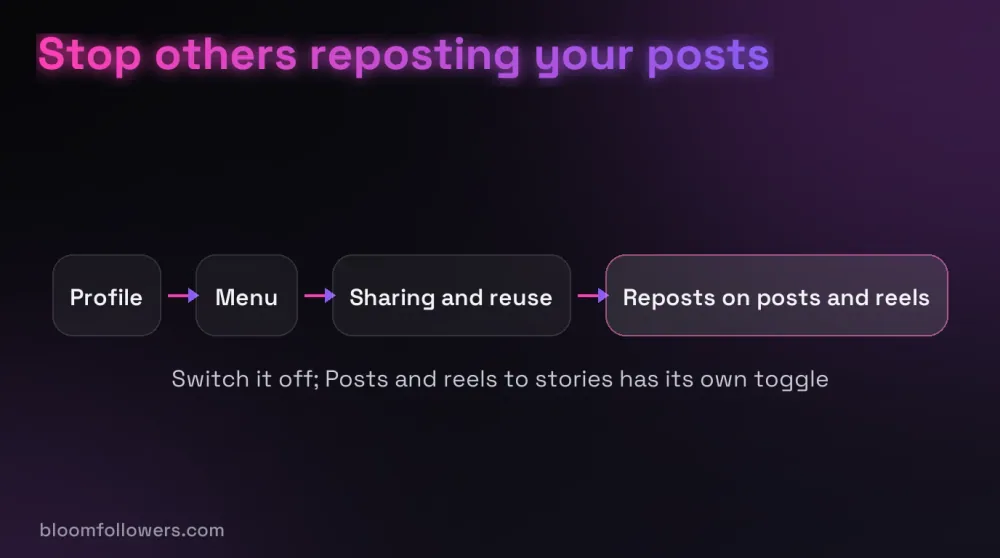
Stopping others from reposting your posts takes one switch. Open your profile, tap Menu, then under How others can interact with you, tap Sharing and reuse and switch off Reposts on posts and reels.
Which Repost Method Credits the Creator
| Format | Method | How the creator is credited |
|---|---|---|
| Post or Reel | Repost button | Their name stays on the post, shown on your Reposts tab |
| Post or Reel | Share, then Add to story | Viewers see who posted it and can tap through to them |
| Story you were mentioned in | Add it from the mention message | Their Story goes into yours as they posted it |
| Post or Reel | Direct message | The message shows the post and the account behind it |
| Post, carousel or Reel | Collab post | Both names appear at the top of the post |
| Any photo or video | Re-upload with permission | Nothing automatic, only your caption credit and tag |
Every method above sends attention to the original creator. When your own account needs a lift, BloomFollowers' Instagram growth bundles add followers, views, likes and comments in one order.
Credit and Permission Before You Repost
Ask Before You Re-Upload
Copyright exists automatically once a work is created (opens in a new tab), and the owner decides who may copy it. So a credit line in your caption is not the same as permission.
Send the owner a short message, say where the post will appear, and keep their reply. Then write your own caption and pick hashtags that fit your account, since Instagram now allows only five per post.
Watch out: A screenshot with a tag is still a copy of someone else's work. If you post it without permission, the owner can report it, and Instagram can take it down.
What Instagram Does About Copied Posts
Since April 2026, Instagram has stopped recommending photos and carousels from accounts where most posts in a 30-day period are re-posts, Social Media Today reported (opens in a new tab). Its advice is to use reposts or Story shares, which give the creator proper attribution.
That change touches recommendations, the part of the Instagram algorithm that shows posts to people who don't follow you. Your followers still see what you share.
When Paid Growth Helps Your Own Posts
Reposts fill your profile with other people's work. Your own posts are what turn a visitor into a follower, and a new profile with quiet posts gives people little reason to stay.
Can a paid boost help there? For a new account or a launch, yes.
The BloomFollowers Instagram Starter Bundle combines 1,000 followers, 5,000 views, 1,000 likes and 10 comments, with the followers coming from real, active profiles. Delivery starts within minutes and runs gradually.
Every follower order has a 60-day refill guarantee, every order has a 7-day money-back guarantee, and we never ask for your password, only your username or post link. Pair it with the habits that get more followers on Instagram, such as clear posts and steady timing.
| Service | Starts at | Good for | Link |
|---|---|---|---|
| Instagram bundles | $55.99 (Starter Bundle) | Followers, views, likes and comments for a new account | Explore Instagram bundles |
| Followers | $2.99 for 100 | A profile people take seriously | Pick a follower package |
| Likes | $1.49 for 50 | Your own posts and carousels | See like packages |
| Views | $1.99 for 500 | Reels you made yourself | Check Reel view packages |

Growing your own posts, not just sharing others? The BloomFollowers Instagram Starter Bundle puts followers, views, likes and comments on your account in one $55.99 order, with gradual delivery, a 60-day follower refill and a 7-day money-back guarantee.
Reposting on Instagram, the Short Version
Use the Repost button for public posts and Reels you want on your profile, Add to story for a 24-hour share, and the mention message for Stories you appear in. That is how to repost on Instagram in 2026, and each method keeps the creator's name attached.
Before you repost anything today, open Sharing and reuse in your own settings. You will see whether other people can repost your posts, and you can switch it off there.
How to Repost on Instagram FAQs

Where is the repost button on Instagram?
It sits in the row of icons under a public post or Reel, shown as a loop of two arrows. If you don't see it, the account may be private, the owner may have turned reposts off, or the post may already be a repost, which can't be reposted again.
Why can't I repost on my Instagram?
Usually the post comes from a private account, or the owner has switched off reposts in their Sharing and reuse settings. You also can't repost a repost. Instagram says the feature may not be available to everyone yet, so updating the app is worth a try if the icon never appears.
What is the new Instagram repost feature?
It is a Repost button Instagram added on August 6, 2025. It shares a public post or Reel with your followers, keeps the original creator's name on it and saves it to a Reposts tab on your profile. You can add a short note and remove the repost at any time.
How do you repost a post?
On Instagram, open the public post, tap the Repost icon and, if you like, tap the bubble beside your profile picture to add a note. To put it in your Story instead, tap Share, choose Add to story, tap Next and then tap Share.
Does Instagram notify someone when you repost their post?
Instagram's help page does not say whether the creator gets an alert. What is certain is that the repost keeps their name on it and sits on the Reposts tab of your profile, so assume they can see it. You can remove it at any time by tapping the Repost icon again.

Was this helpful?